
Do your own bookkeeping – documents, VAT and SIE
Register supplier invoices, keep receipts as supporting documents and book vouchers. Then follow up in the general ledger, the VAT settlement and the reports.
From receipt to voucher
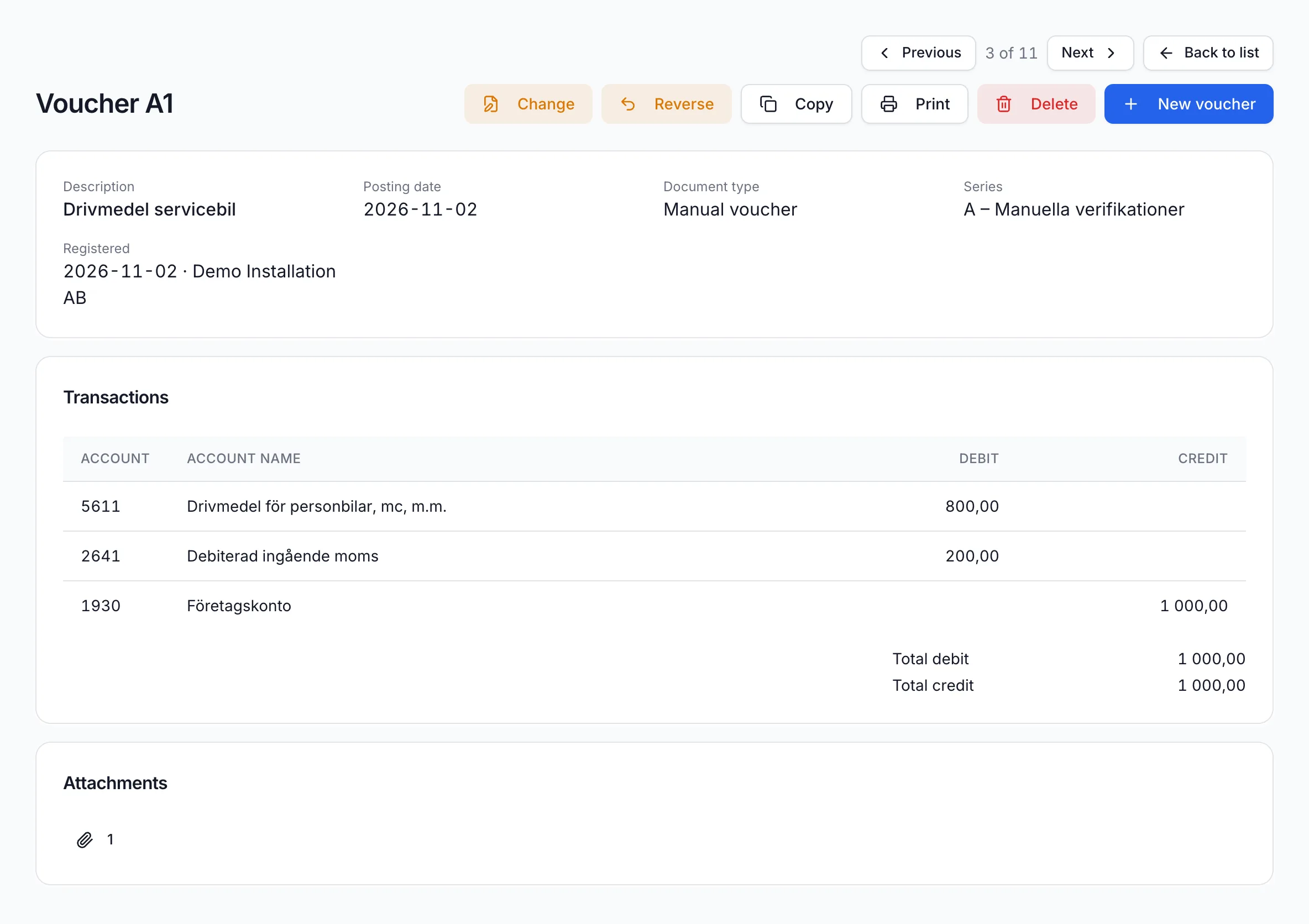
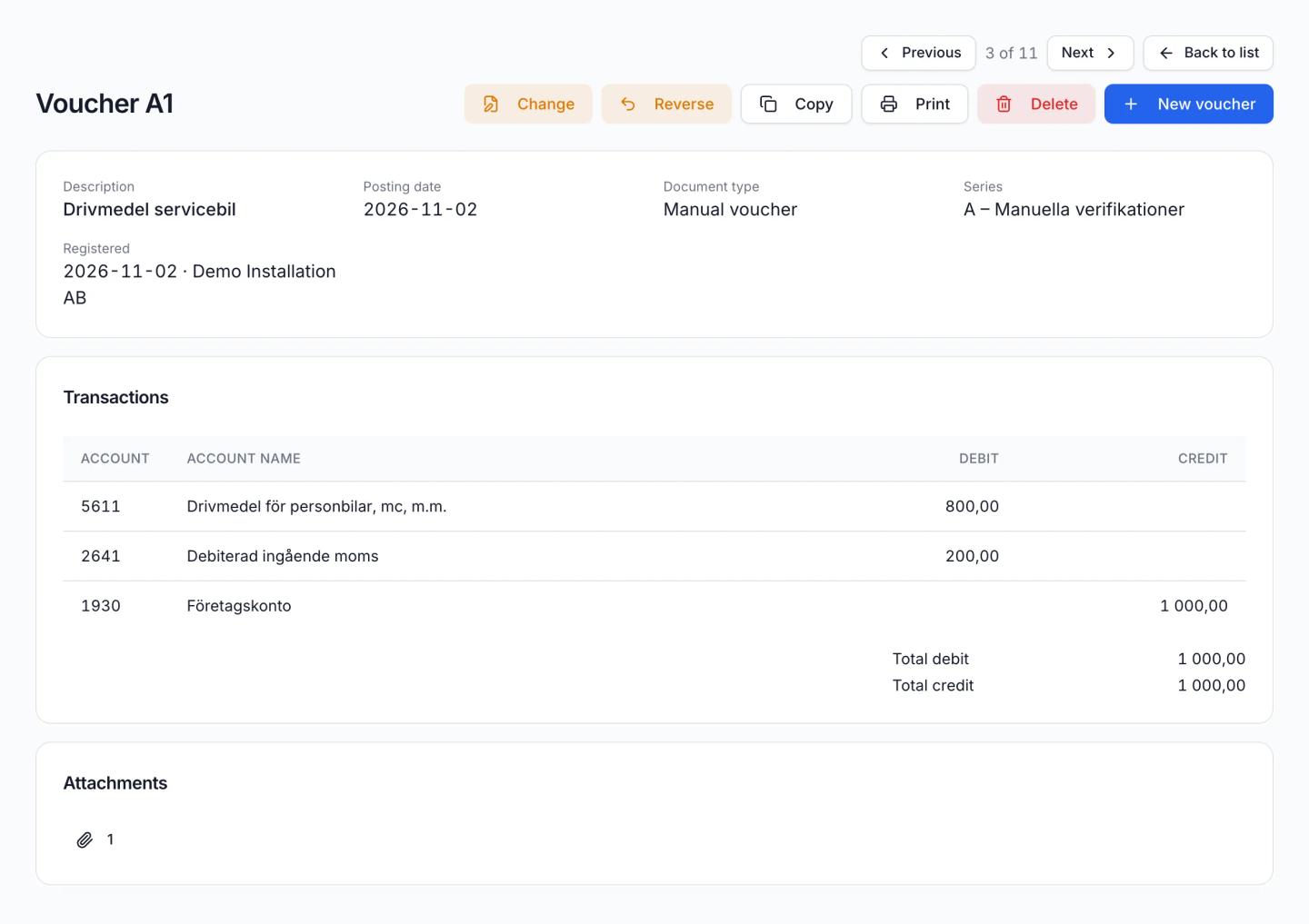
Demo Installation AB fills up the service van for 1,000 kr. This is how the receipt ends up in the books.
Upload the document
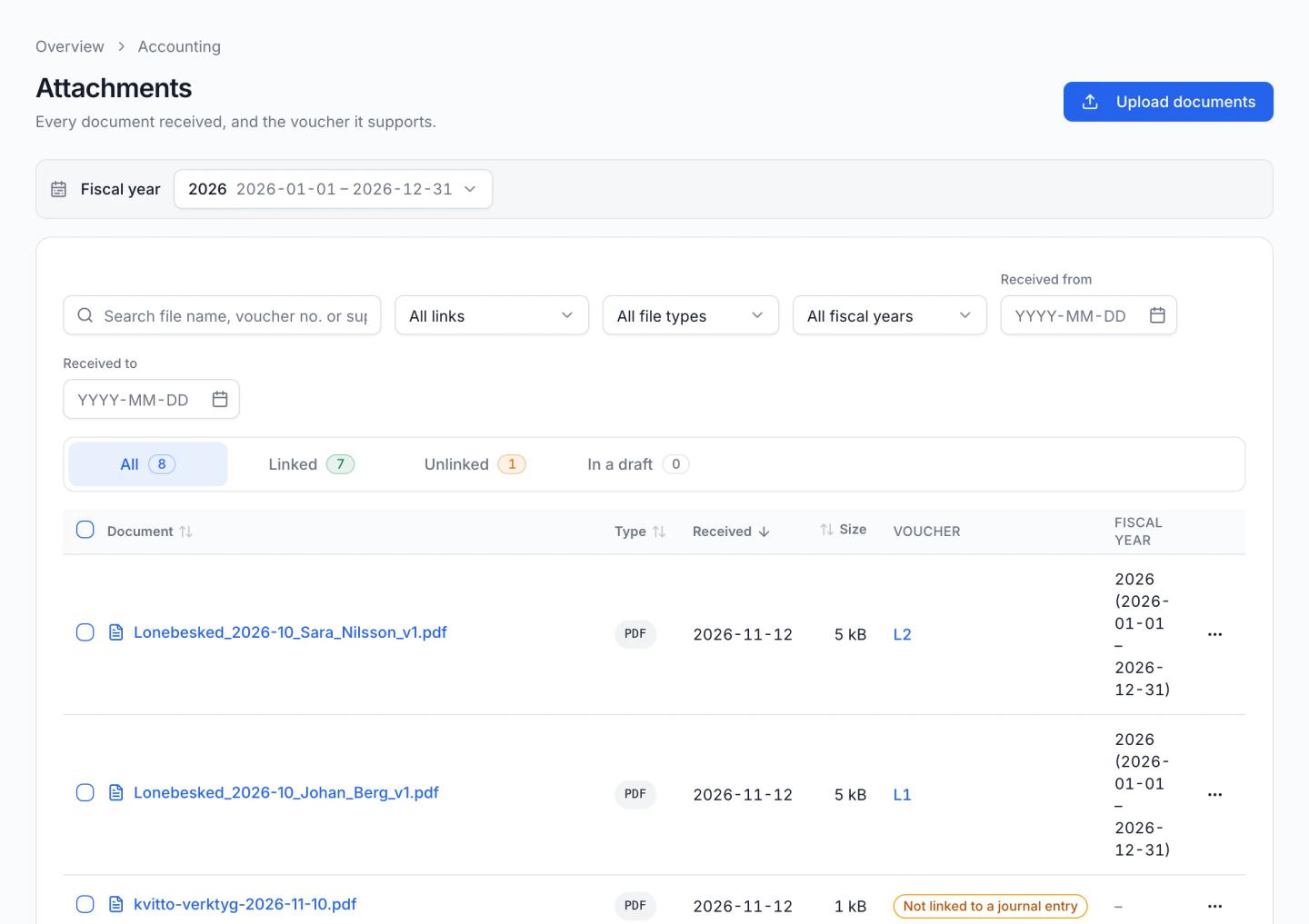
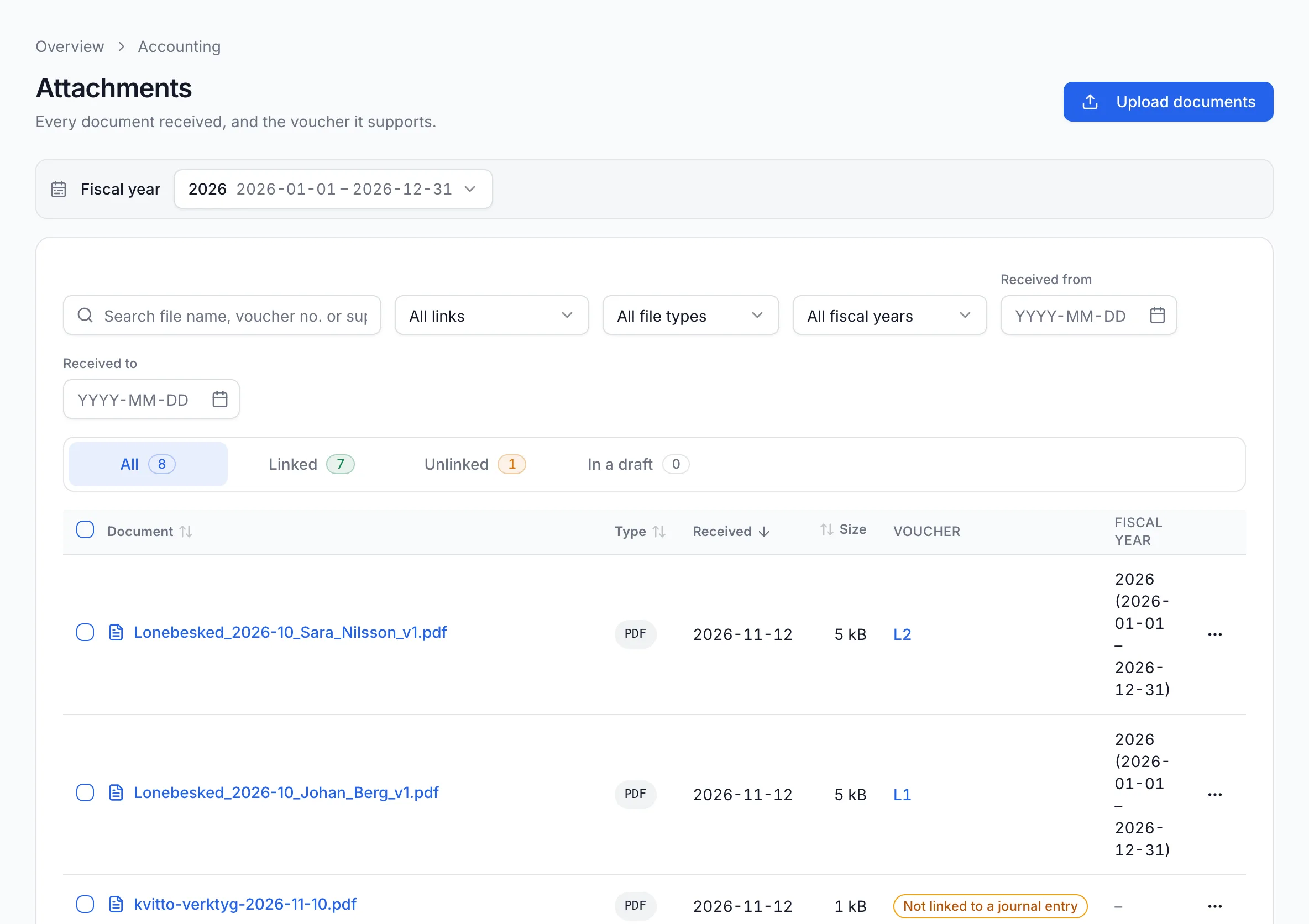
All the receipts and invoices you receive are collected under Attachments. Click “Upload documents”. The not-linked tab shows what does not yet belong to a voucher.
Screenshot from Economy Codes with demo data Book the voucher
Create a new voucher with debit and credit accounts: 800 kr for fuel, 200 kr input VAT and 1,000 kr from the business account. “Add attachment” links the receipt, from your computer or from Attachments.
Screenshot from Economy Codes with demo data Follow up in the general ledger
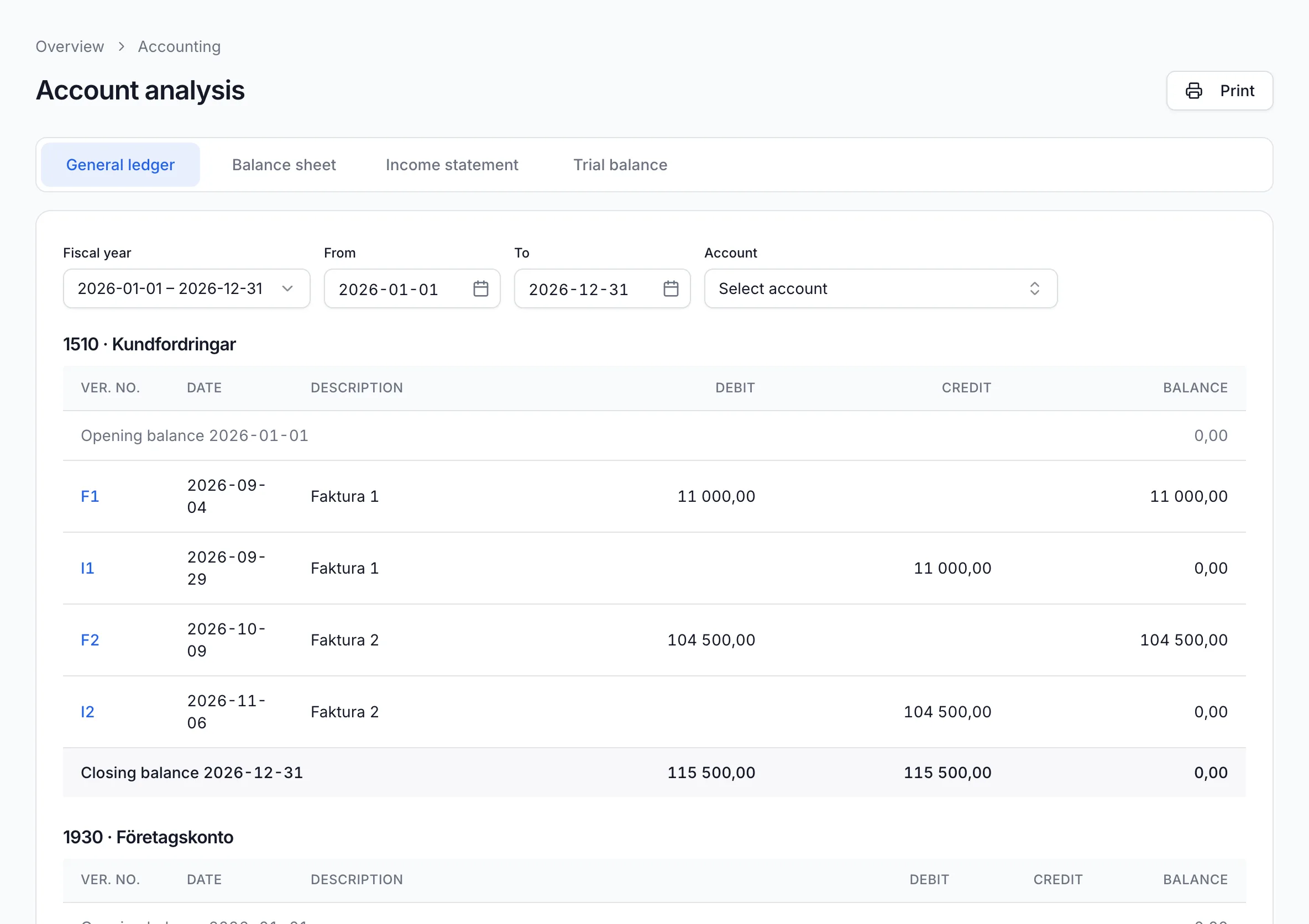
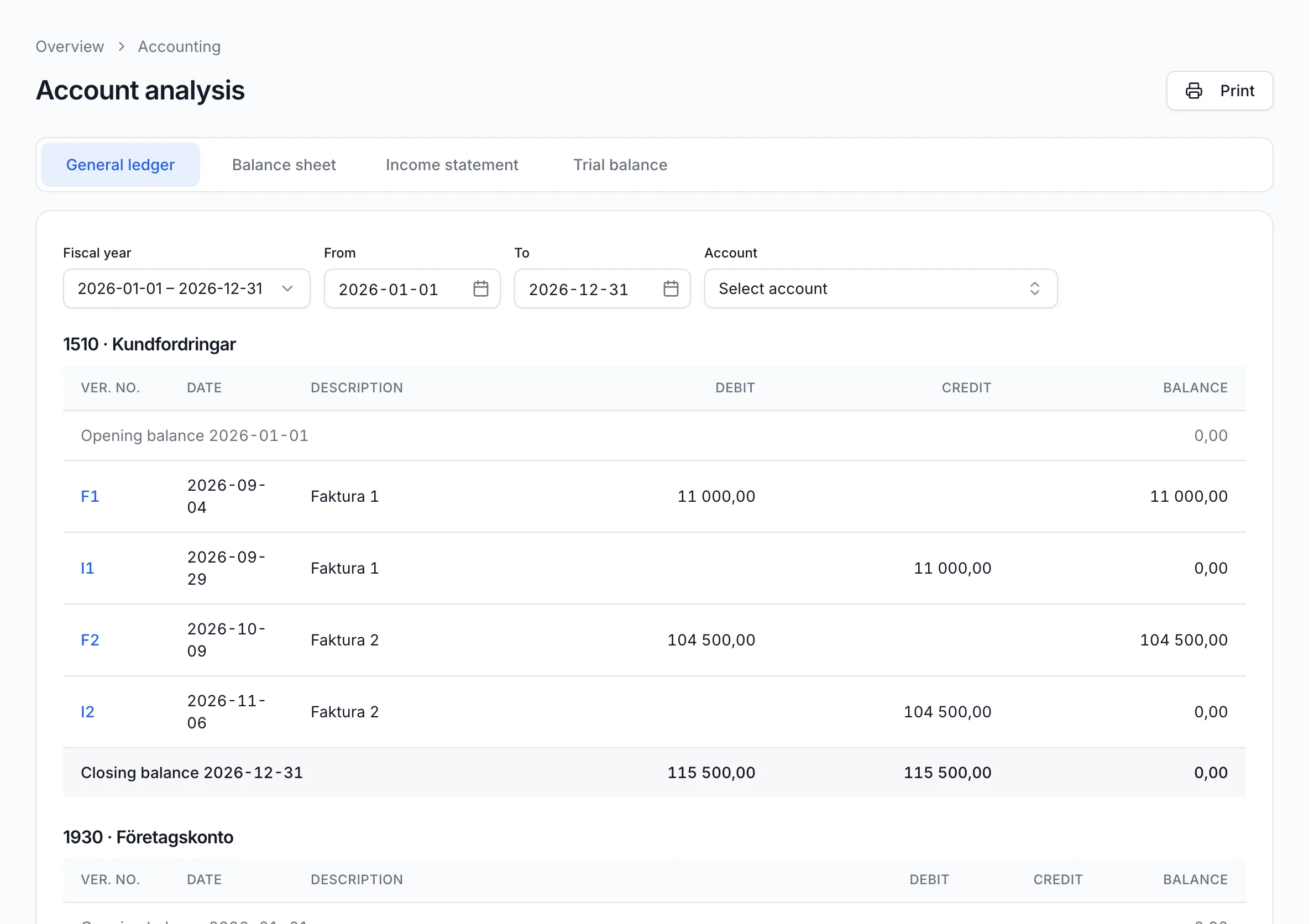
Account analysis shows the general ledger per account and the vouchers behind each balance. The balance sheet, income statement and trial balance are there too.
Screenshot from Economy Codes with demo data
Keep track of purchases and supplier invoices
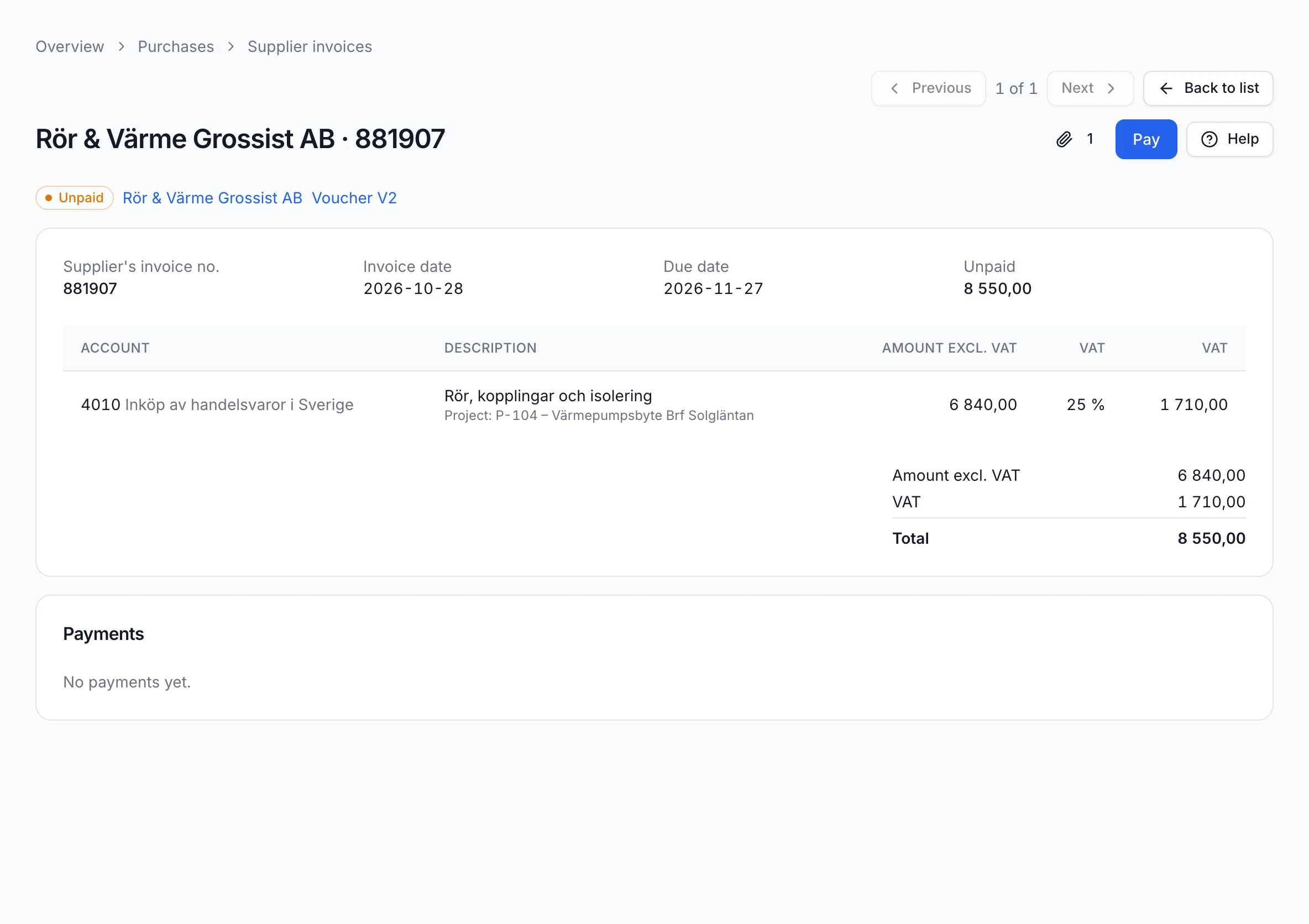
When a supplier invoice arrives, you register it under Purchases: supplier, invoice number, due date and lines on the right account with VAT. The invoice is attached as the supporting document. Then you approve, book and pay it.
Suppliers are kept in their own register with Bankgiro, default account and payment terms, so the next invoice from the same supplier is quicker. The list shows what is unpaid and how long it has been overdue.
Example
Rör & Värme Grossist AB sends an invoice for 8,550 kr for pipes and insulation for the heat pump project. It is booked to account 4010, linked to project P-104 and falls due on 27 November.
Periods, fiscal years and VAT
The books are divided into fiscal years and periods. When a month has been reconciled, you lock the period so nothing changes afterwards.
Under VAT settlement you preview the VAT return for the period, book the settlement and download a file that you submit in Skatteverket's e-service.
Move bookkeeping data with SIE
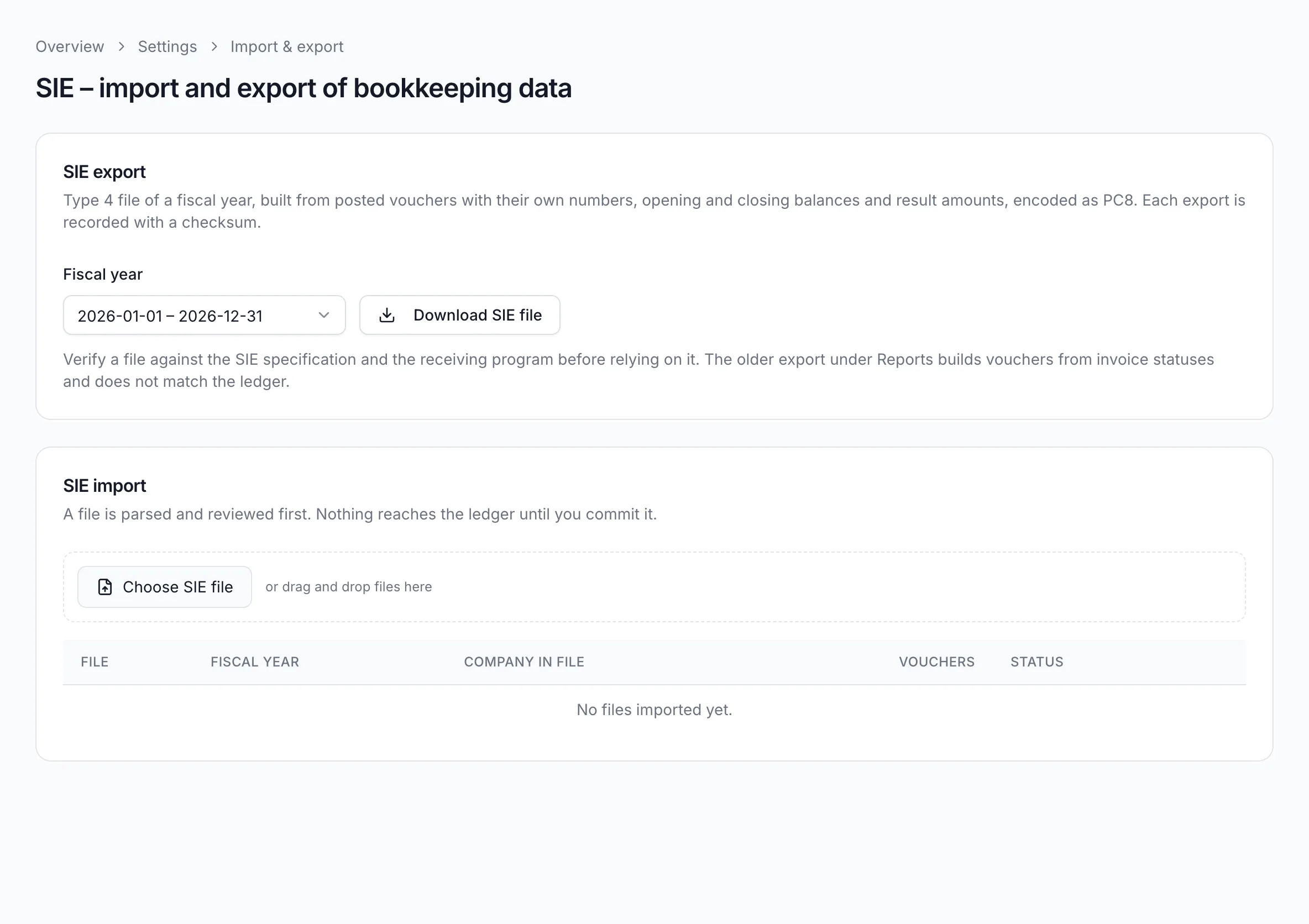
SIE is a Swedish file format that accounting software uses to hand bookkeeping over to each other. Economy Codes reads and creates SIE type 4, which contains the vouchers and not only balances.
- From your previous software: choose the SIE file, review the fiscal year, accounts and vouchers, then commit them to the ledger. Missing accounts and voucher series are created. Opening balances can be added while the year has no vouchers.
- For your auditor: download an SIE file for a fiscal year. It contains the chart of accounts, opening and closing balances, results and every voucher, plus projects if you use the projects module.
- An imported file can be at most 10 MB with at most 500 vouchers.
Follow revenue and costs per project
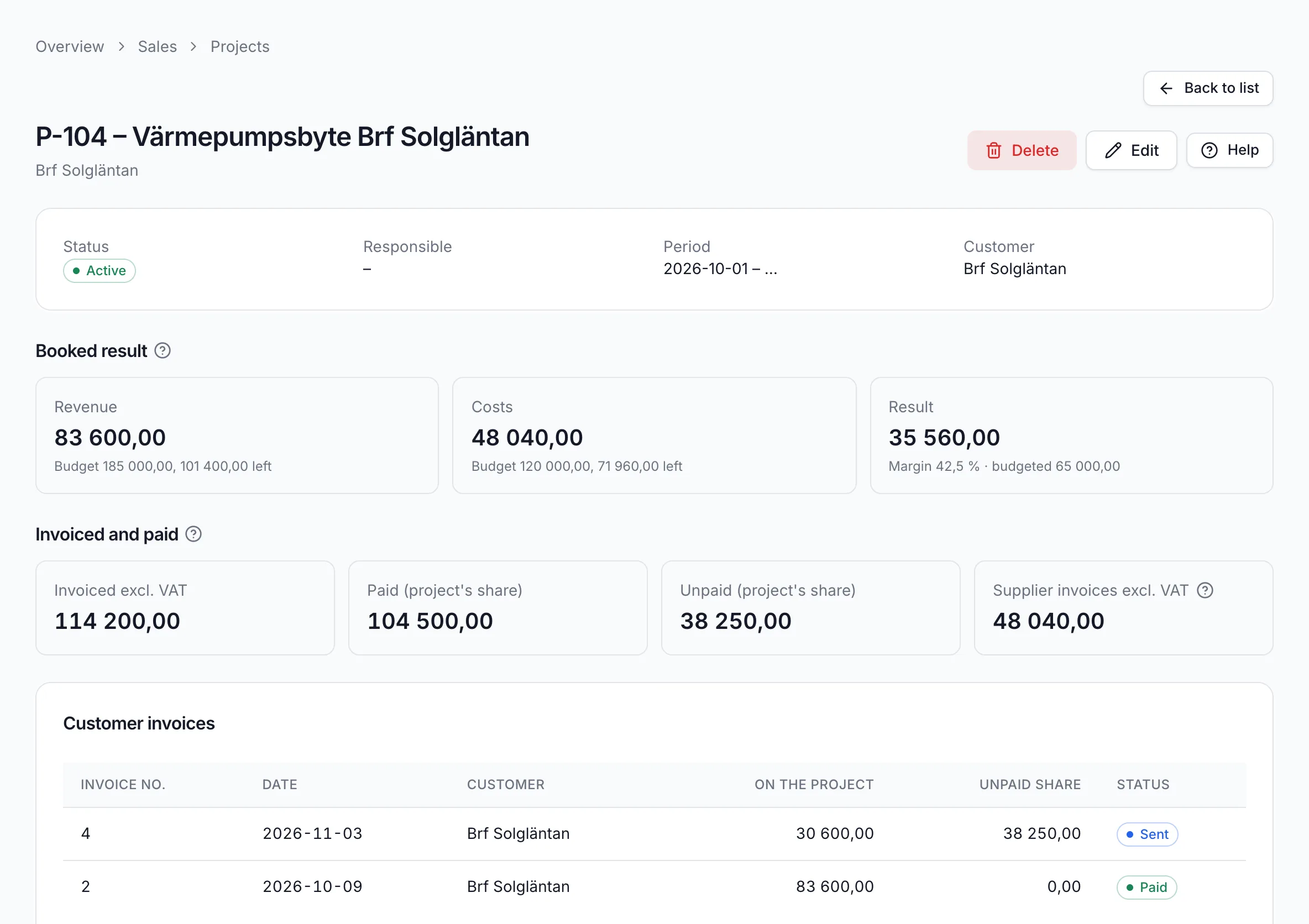
With the projects module you link invoice lines, supplier invoice lines and voucher lines to a project. The project page shows booked revenue and costs against budget, and what has been invoiced and paid. The company owner enables the module under Features & modules.
Example
For project P-104, the heat pump replacement at Brf Solgläntan, Demo Installation AB has invoiced 114,200 kr excluding VAT, of which 104,500 kr has been paid. Costs from supplier invoices are 48,040 kr, and the booked result so far is 35,560 kr.
Frequently asked questions
More about Economy Codes
- Accounting softwareInvoicing, bookkeeping and payroll in one placeRead more
- InvoicingSend invoices and follow up paymentsRead more
- PayrollPayslips, salary payments and payroll entriesRead more
- Employer declarationSend the employer declaration to Skatteverket for signingRead more
- AI assistant (MCP)Let your AI assistant answer questions about your financesRead more
Want to see how it works for your business?
Book a demo and we will walk you through invoicing, bookkeeping and payroll in the software. If you already have an account, log in directly.