
Invoicing software for small businesses
Create invoices from your own items, send them as PDFs by e-mail and see at a glance what is paid, unpaid or overdue.
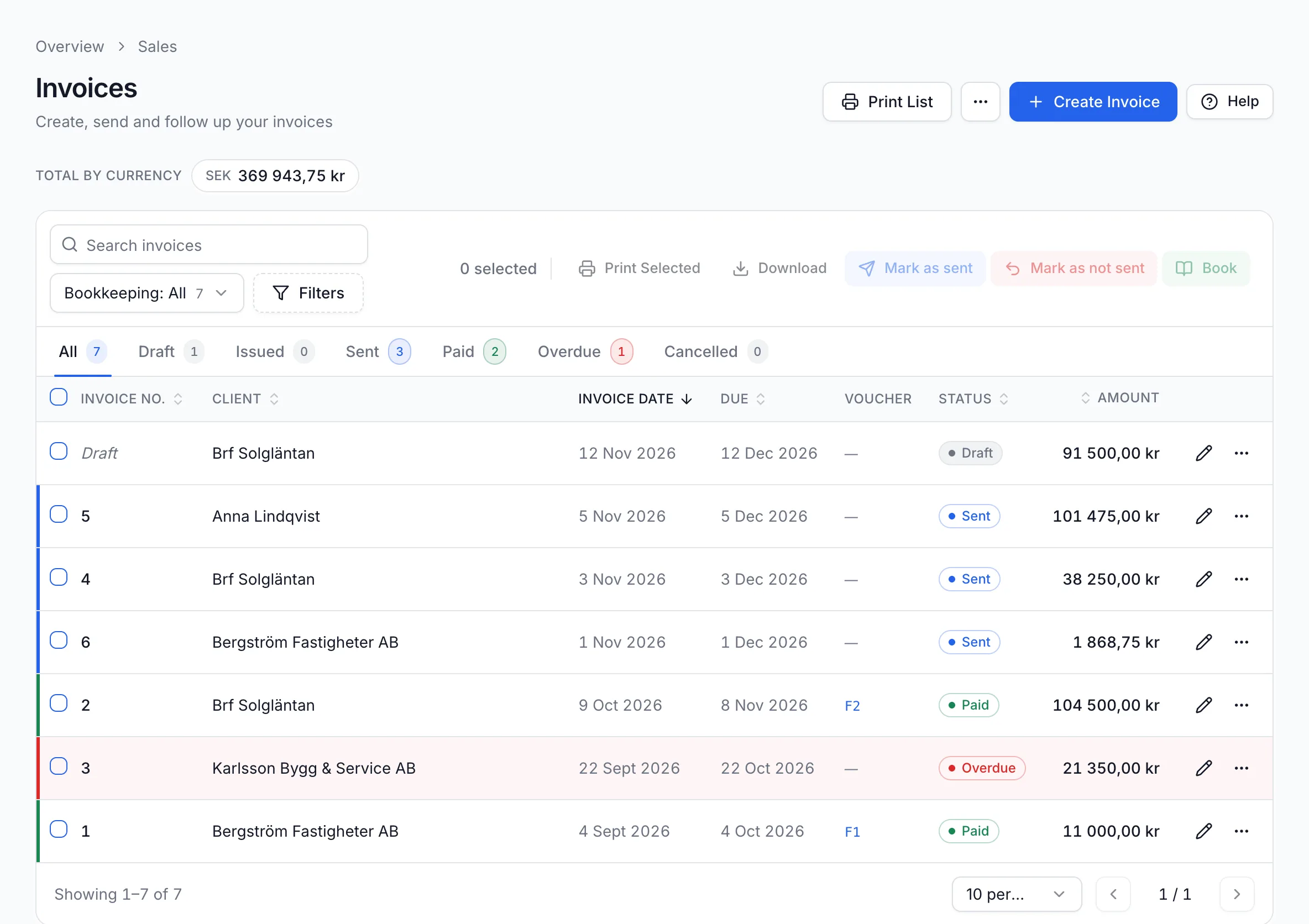
From draft to paid invoice
Demo Installation AB invoices Brf Solgläntan for a heat pump replacement. This is how the invoice moves through the software.
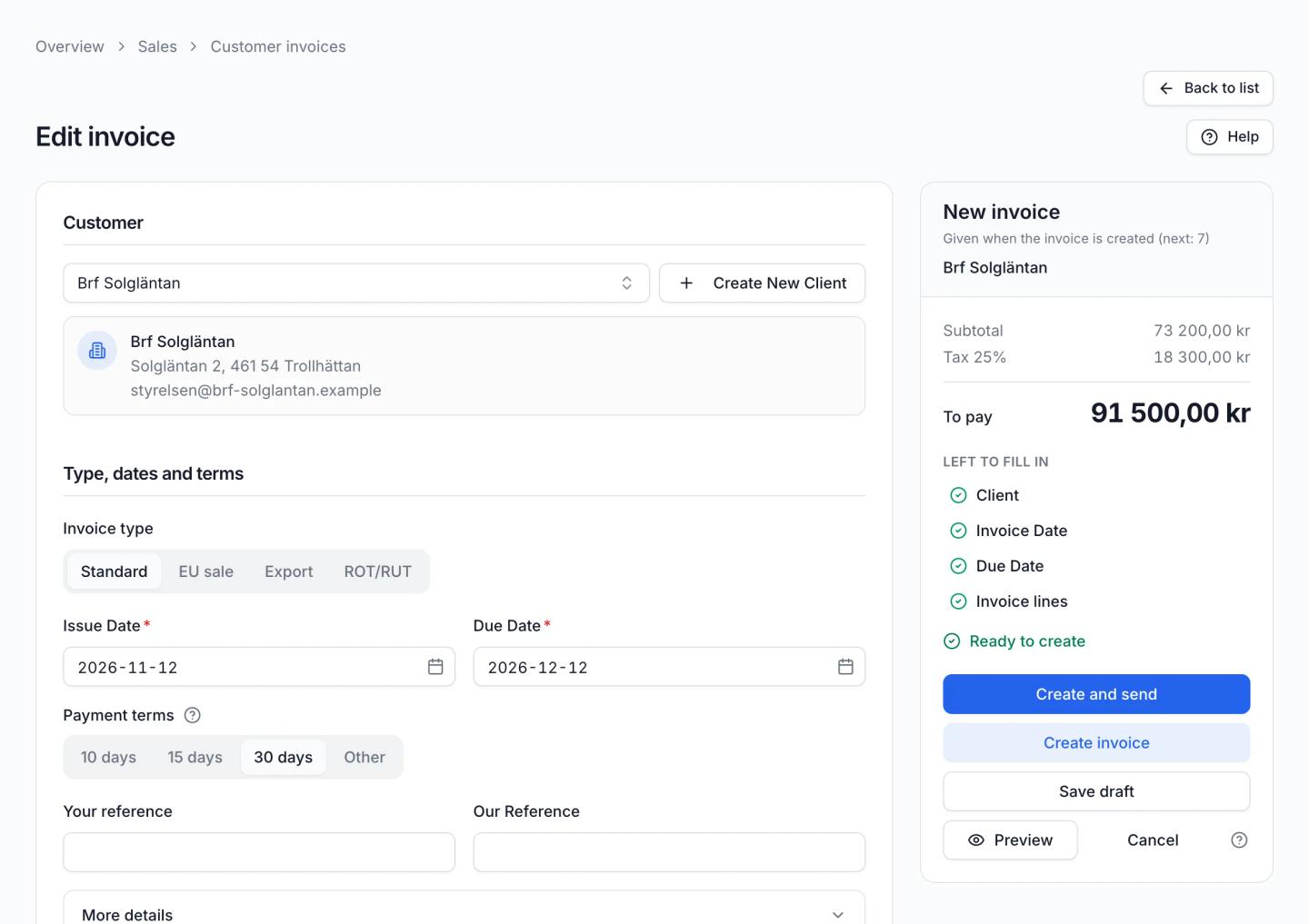
Create a draft
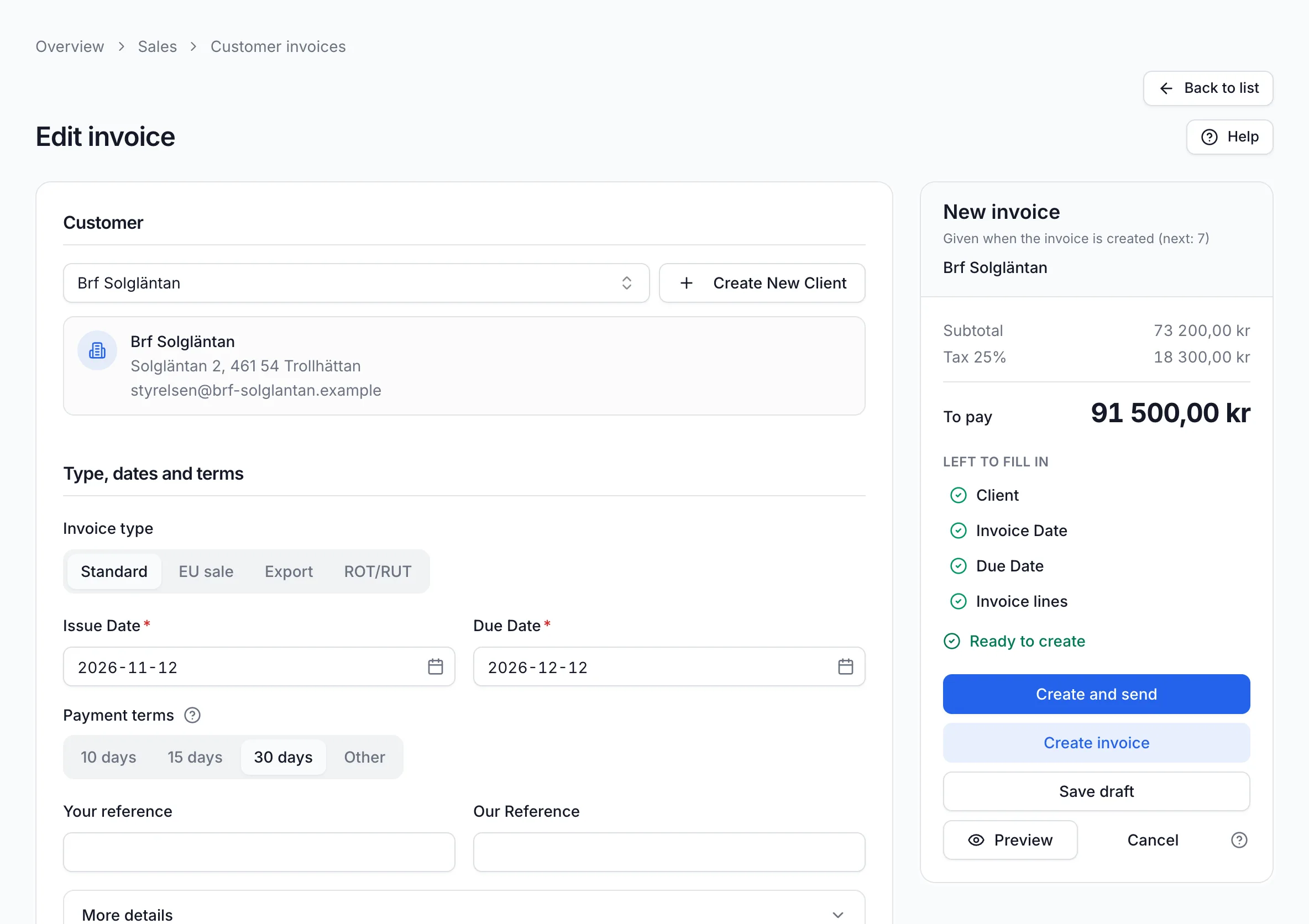
Choose the customer, invoice date and payment terms and add the lines. A checklist shows what is still missing before the invoice can be created. “Save as draft” lets you continue later.
Screenshot from Economy Codes with demo data Create and send
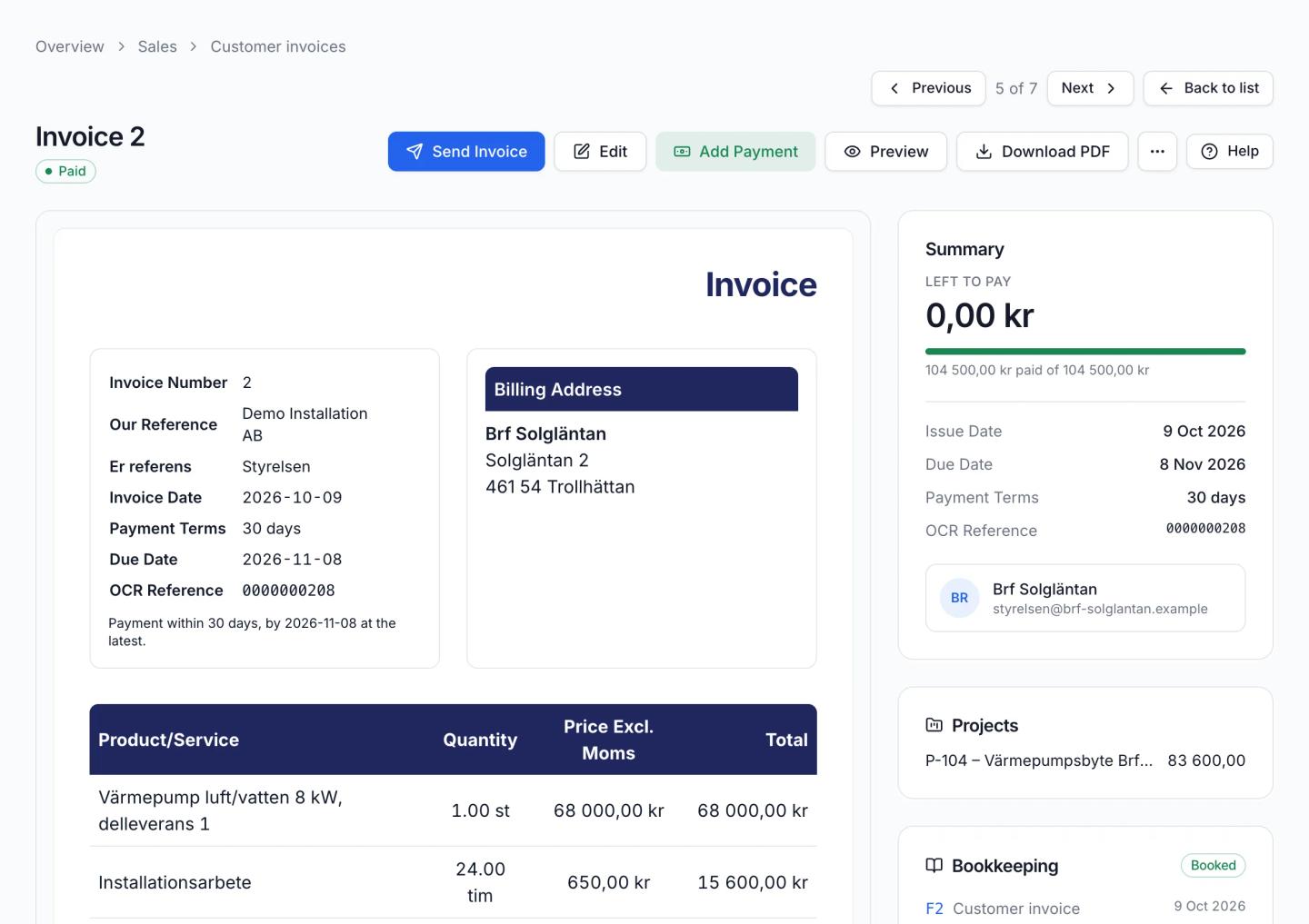
“Create Invoice” gives the invoice a number. “Send Invoice” e-mails it to the customer as a PDF attachment. You can also download the PDF and print it.
Register the payment
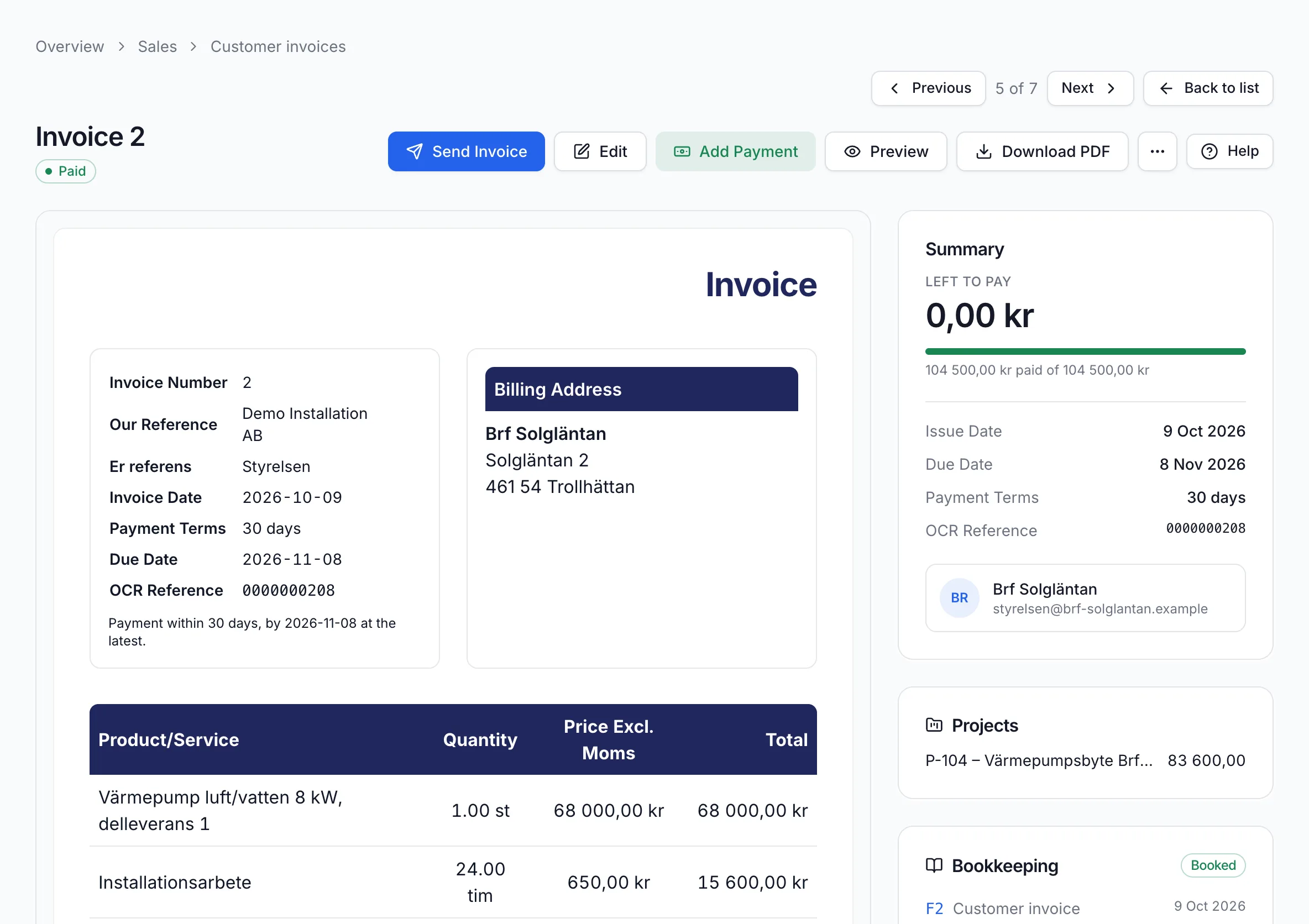
When the customer has paid, click “Add Payment”. The invoice becomes Paid and nothing is left to pay. If the due date passes without payment, the invoice becomes Overdue.
Screenshot from Economy Codes with demo data
See what is unpaid and overdue
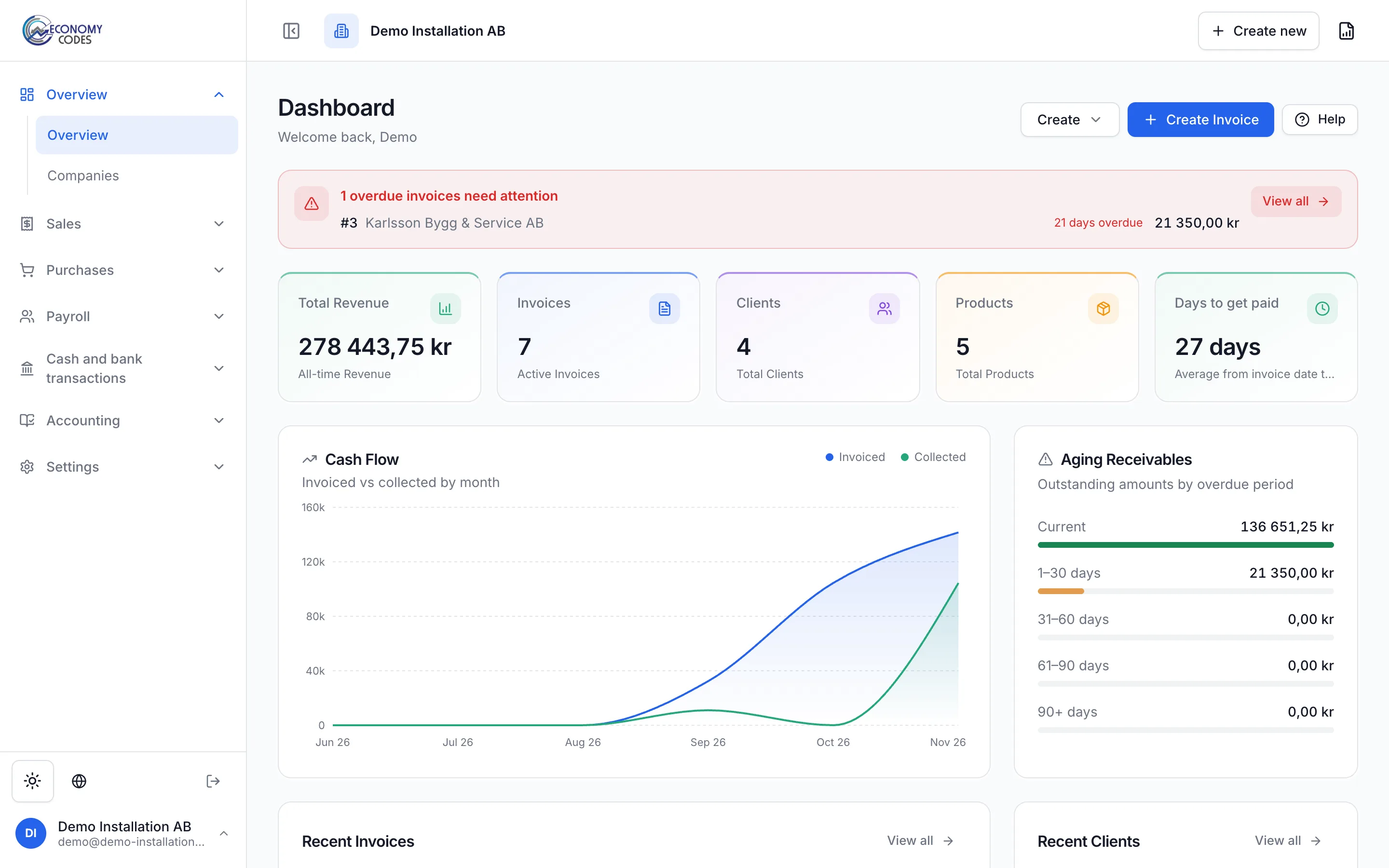
The overview shows how many invoices are overdue and which customers they belong to. The ageing analysis splits receivables by how long they have been overdue.
In the customer invoice list you filter on Draft, Sent, Paid and Overdue. The due date column shows when each invoice should be paid.
Recurring invoices for regular customers
Once recurring invoices are enabled in the sales settings, an invoice can repeat every month, quarter or year, with an end date if you want one. The software can also e-mail the new invoices automatically.
Example
Bergström Fastigheter AB has a service agreement for its heat pump. Demo Installation AB invoices 1,495 kr plus VAT on the first of every month without recreating the invoice.
OCR references and payment QR codes
With OCR enabled, every invoice gets an OCR reference and a payment slip at the bottom. That makes the payment easier to recognise when it reaches your account.
Invoices in Swedish kronor with a Bankgiro or Plusgiro number also get a QR code following the banks' standard. The customer scans it with their banking app and the payment is filled in.
ROT and RUT for private customers
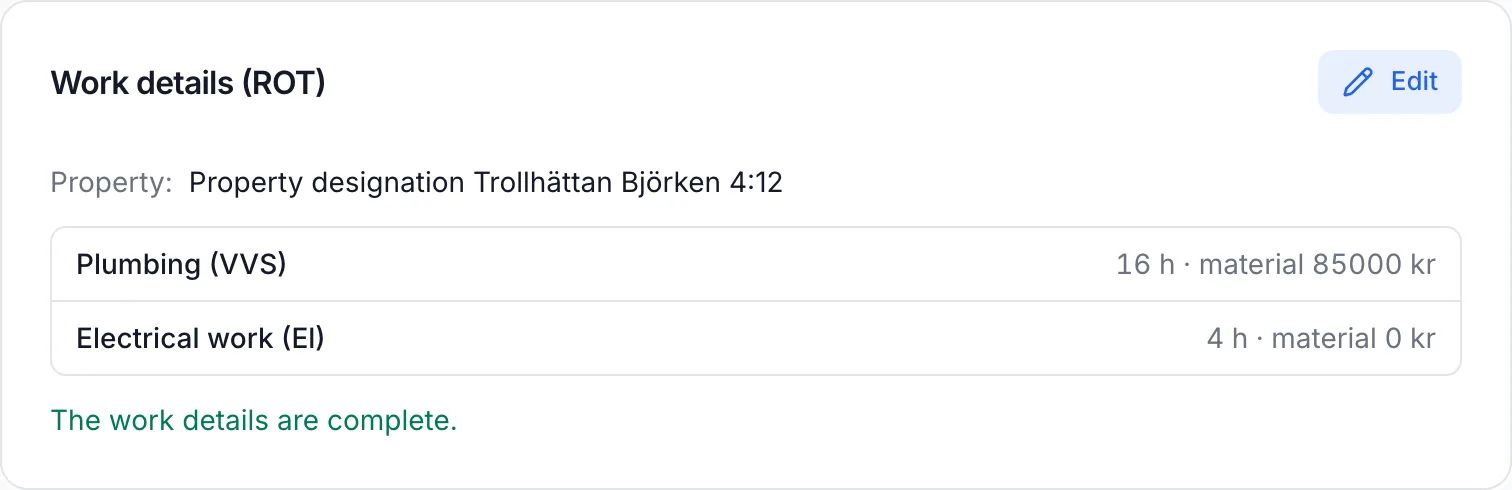
If you invoice private individuals for renovation or household services, you deduct ROT or RUT directly on the invoice. Under “Work details” you fill in the property, type of work, hours and materials.
“Export ROT/RUT claim” downloads a file that you submit in Skatteverket's ROT and RUT e-service. Once Skatteverket has decided, you register the decision on the invoice.
Example: a heat pump for a private customer
Anna Lindqvist has a heat pump installed in her house. The invoice has 68,000 kr of materials and 20 hours of work, 101,475 kr in total including VAT. The ROT deduction is 30 percent of the labour cost, 4,942.50 kr, so Anna pays 96,532.50 kr. The company claims the rest from Skatteverket.
Invoices that look like your business
Add your company logo, choose the invoice colour and write your own footer. You can show the approved-for-F-tax text and a late-payment interest clause.
Credit notes and reminders
If something went wrong, you credit the whole invoice or only selected lines, quantities or amounts. With reminders enabled, you register a payment reminder on an overdue invoice.
Frequently asked questions
More about Economy Codes
- Accounting softwareInvoicing, bookkeeping and payroll in one placeRead more
- BookkeepingPurchases, documents, vouchers, VAT and SIERead more
- PayrollPayslips, salary payments and payroll entriesRead more
- Employer declarationSend the employer declaration to Skatteverket for signingRead more
- AI assistant (MCP)Let your AI assistant answer questions about your financesRead more
Want to see how it works for your business?
Book a demo and we will walk you through invoicing, bookkeeping and payroll in the software. If you already have an account, log in directly.