
Payroll software for small businesses
Create payslips for your employees, review them before you approve, send them by e-mail or post and see what needs to be paid out.
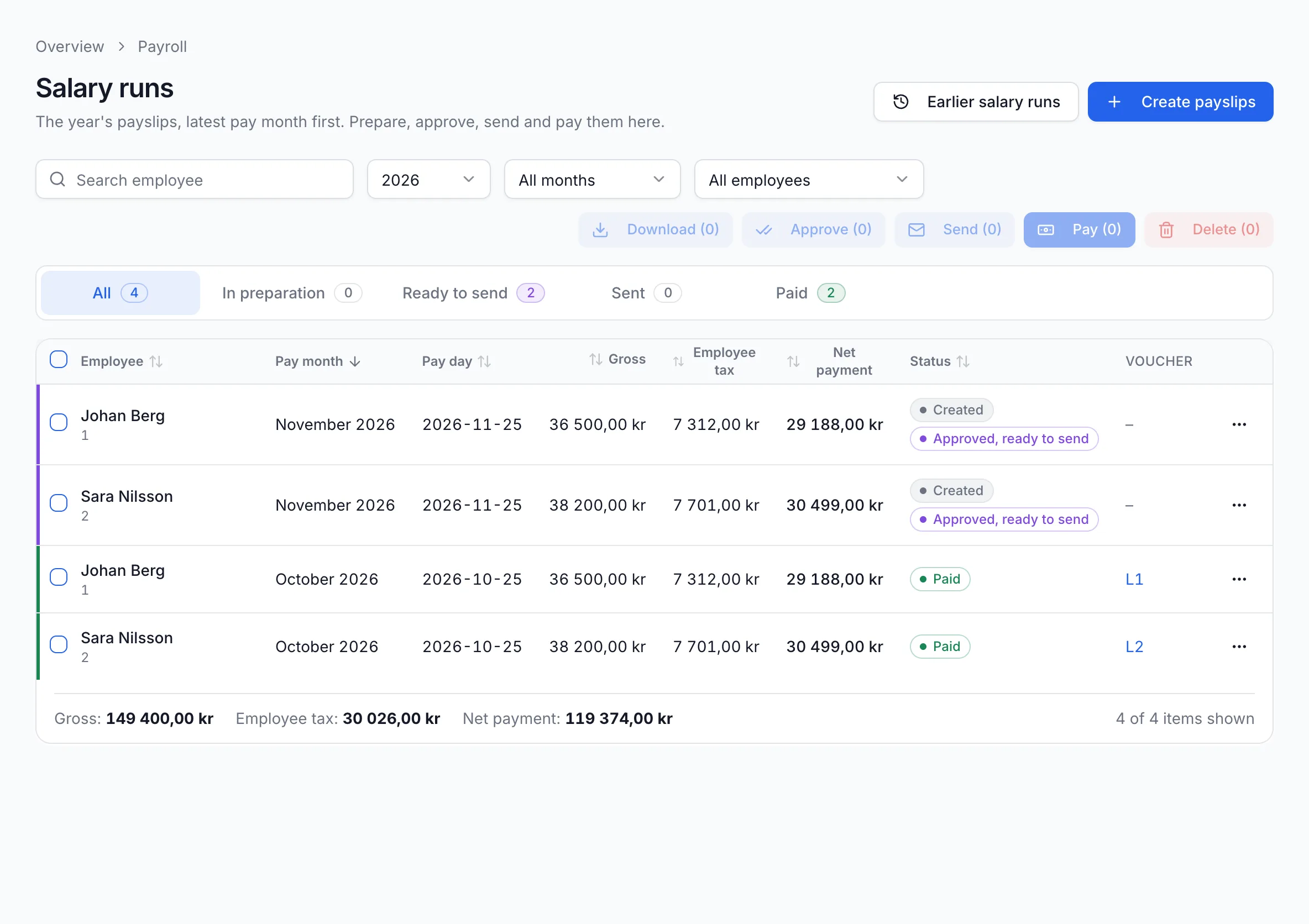
From pay month to salary paid
Demo Installation AB has two employees: a plumber and an electrician. This is how the November payroll works.
Create payslips
Click “Create payslips”, choose the pay month and pay day, then the employees to be paid. Tax is calculated from Skatteverket's tax table for each employee.
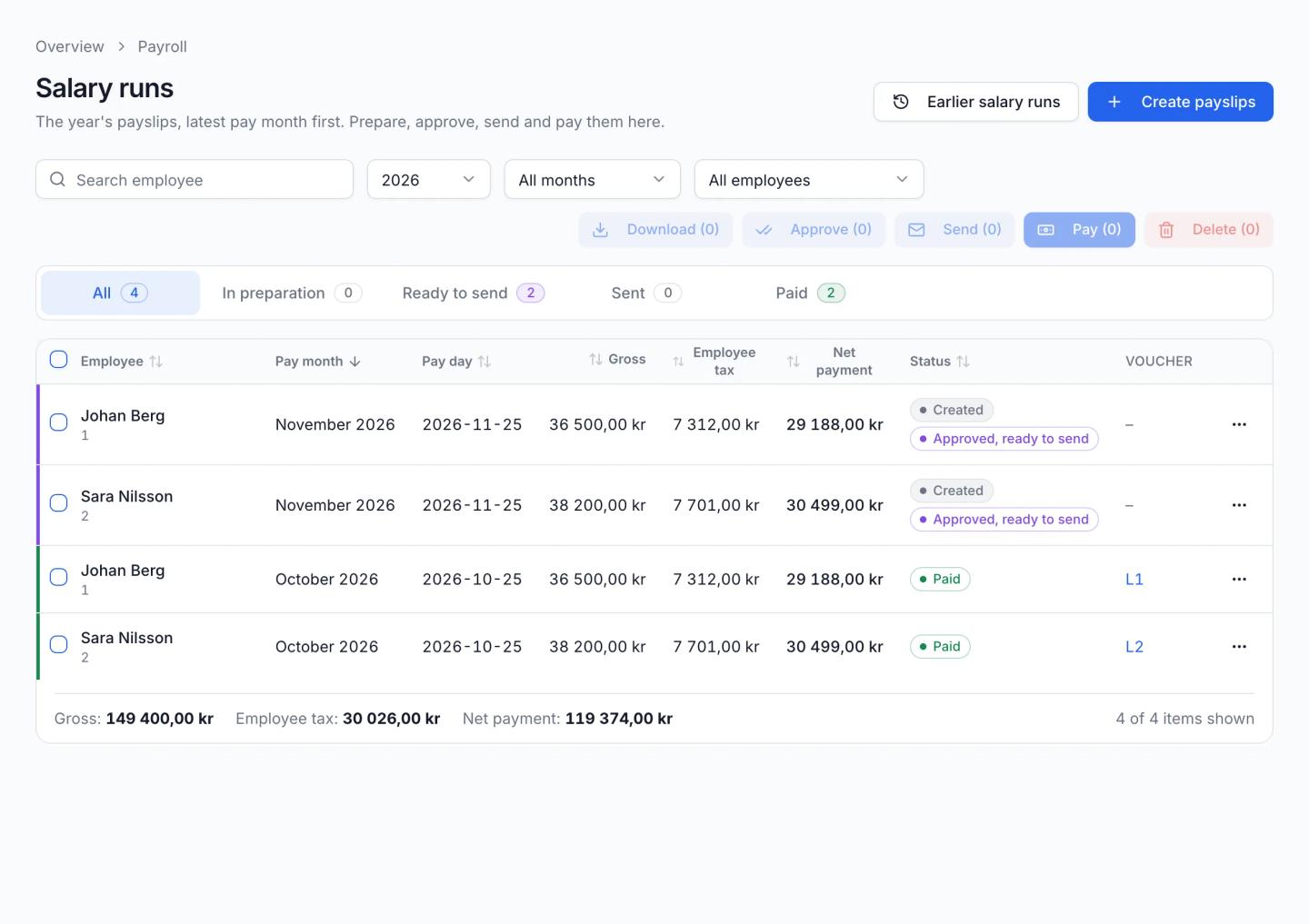
Screenshot from Economy Codes with demo data Review and approve
“Preview” shows the payslip as a PDF before it is approved. When everything is right, click “Approve” and the payslip is ready to send.
Send to your employees
For each employee, choose whether the payslip goes by e-mail or by post. For post, you download the PDF and print it.
Pay and book
“Pay salaries” shows what to pay out and gives you a payment file with recipient, clearing number, account number and amount to use at your bank. Once you have paid, you confirm each payment and the software books the salary with the payslip attached.
Employees, salary and tax
Each employee has a record with salary, tax table and column, bank account and e-mail address. If your employees are in another payroll program, you can import them from a file.
Example
Johan Berg, a plumber, earns 36,500 kr a month. With tax table 32, 7,312 kr is withheld in tax and 29,188 kr is paid out on 25 November.
Information for the employer declaration
From the salaries paid, the software prepares the month's employer declaration: gross pay, tax withheld and employer contributions per employee. You see what is due to Skatteverket and file the declaration for the month.
Frequently asked questions
More about Economy Codes
- Accounting softwareInvoicing, bookkeeping and payroll in one placeRead more
- InvoicingSend invoices and follow up paymentsRead more
- BookkeepingPurchases, documents, vouchers, VAT and SIERead more
- Employer declarationSend the employer declaration to Skatteverket for signingRead more
- AI assistant (MCP)Let your AI assistant answer questions about your financesRead more
Want to see how it works for your business?
Book a demo and we will walk you through invoicing, bookkeeping and payroll in the software. If you already have an account, log in directly.